An app by Stonekick
Metronome Beats
A metronome and speed trainer with over 10 million downloads.
Open the free web app in your browser. No download required.


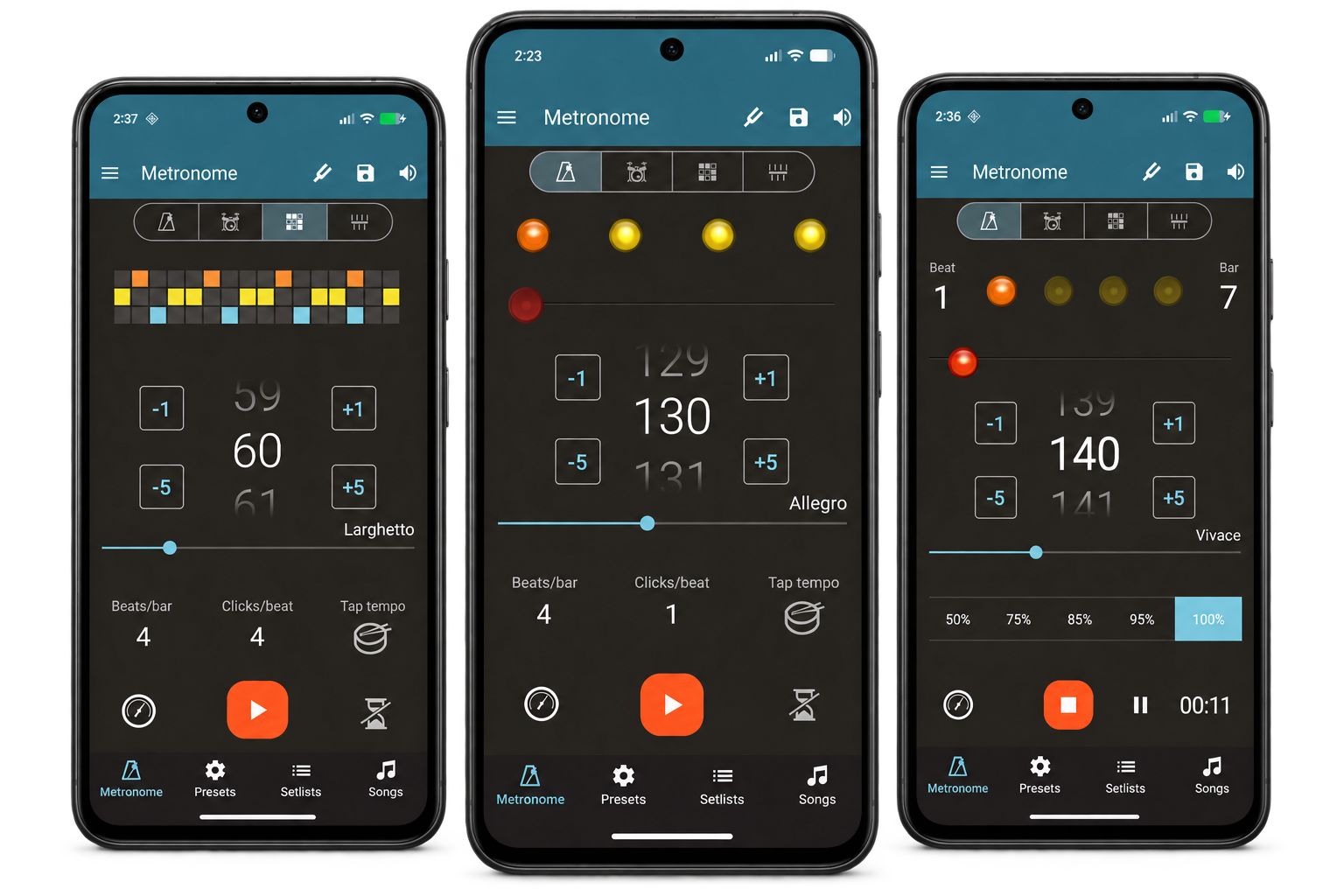
Enhance your music practice
All the features you could need from a metronome and speed trainer, packaged in an intuitive interface
Complex time signatures
Set a variety of time signatures including compound time
Tap Tempo
Unsure which tempo you need? Tap on the screen to set a BPM
Visual Beat Indicators
Mute your device and follow the tempo on screen
Speed Trainer
Gradually speed up and slow down or mute certain bars
Presets and Setlists
Save your most frequently used settings. Create Setlists to use Live
Timer
Add a count-in, show total playing time, or display a countdown timer
How to practise with Metronome Beats
- Set your tempo in beats per minute (BPM), or use Tap Tempo to tap the pulse of a song.
- Choose the beats per bar and clicks per beat. For a simple 4/4 pulse, start with four beats per bar and one click per beat.
- Press Play and practise in time with the clicks. Tap a beat indicator to change its emphasis or mute it.
- Use the speed trainer when you are ready to increase the tempo gradually.
Supported platforms
Available for Android, iPhone and iPad. You can also use the Metronome Beats web app in your browser.
Free and paid features
Start free with adjustable tempo, tap tempo, visual beats, a timer and a speed trainer.
Pro adds the ability to save presets, create songs and setlists, and use Live Mode. Check your store for the current upgrade price.
Metronome Beats FAQs
Can I use Metronome Beats online without downloading an app?
Yes. Open the Metronome Beats web app to practise in your browser. Android and iOS downloads are available from the store buttons on this page.
How do I set the metronome for 6/8 time?
For a two-beat feel with three subdivisions per beat, choose two beats per bar and three clicks per beat. Set the BPM to the dotted-crotchet pulse. See our time signature examples for other combinations.
Why does the tempo change or the metronome stop by itself?
Check whether the speed trainer or timer is enabled. The speed trainer changes BPM automatically; the timer stops playback after the duration you set.
Guides and further reading
Tutorials
Our Users
Help and documentation
More for your practice
Instrumentive helps you track your practice and follow your progress.
Up Tempo helps you slow down music, change key and isolate parts.
More downloads than any other metronome on Android!
Download Metronome Beats to get started.
Prefer to practise in your browser?
Use online