An app by Stonekick
Accurate Compass
An accurate compass in your pocket. Use the 3D view to navigate unfamiliar places

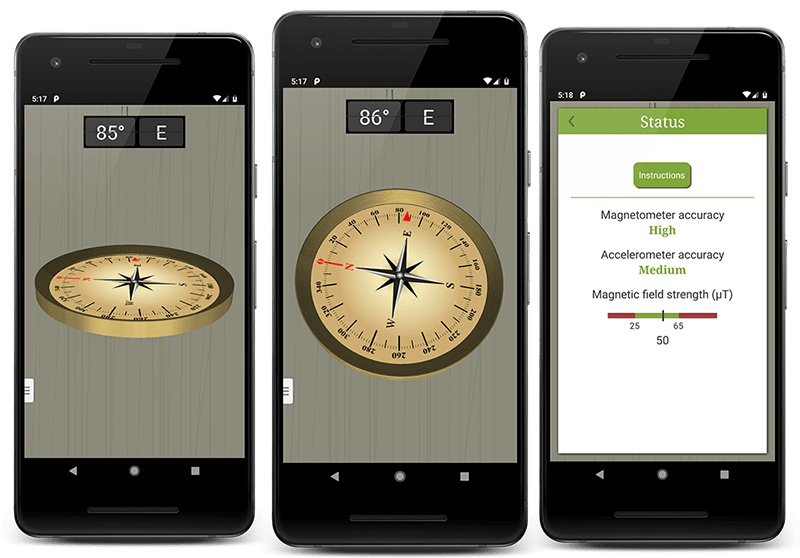
Need to know which way is north?
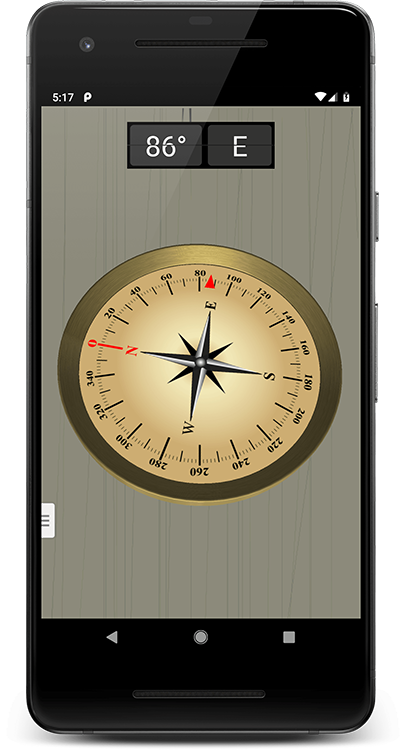
Accurate Compass features a traditional compass dial and bearing readout
3D view
No need to hold your phone parallel to the ground
Landscape and Portrait mode
Supports both phones and tablets
Calibration advice
Get help with calibrating the sensors in your device
How to find a direction or bearing with Accurate Compass
- Move away from metal objects, electrical equipment and magnetic phone cases.
- Open Sensor Status from the main menu and follow any calibration instructions.
- Hold the device horizontally to use the traditional compass dial. Read the bearing for the direction the red arrow points.
- To check a distant object's bearing, hold the device vertically with the back facing the object and read the bearing in the side window.
Supported platforms
Available for Android phones and tablets with a magnetometer (magnetic compass sensor). The readings depend on your device's sensors.
Free and paid features
The free app includes the 3D compass, bearing readout and calibration advice, supported by adverts.
Accurate Compass Pro provides the same compass features without adverts. Check Google Play for the current price.
Accurate Compass FAQs
Does Accurate Compass show magnetic north or true north?
Accurate Compass shows magnetic north. Its dial and bearing use the magnetic sensor in your device.
Why does the compass show an abnormal magnetic field warning?
A nearby magnetic field can affect the sensors. Move away from cars, computers, electrical cables and metal objects, remove any magnetic case and check Sensor Status again.
Why does the dial look different when I hold my phone upright?
The 3D dial changes with the angle of your device. When the phone is vertical, use the side bearing readout for the direction the back of your phone is facing.
Guides and further reading
Our Users
Help and documentation
Always have a compass handy!
Download Accurate Compass to get started.