An app by Stonekick
Scales Practice
Learn scales for your exams, to improve your playing and intonation, or to enhance your music theory!

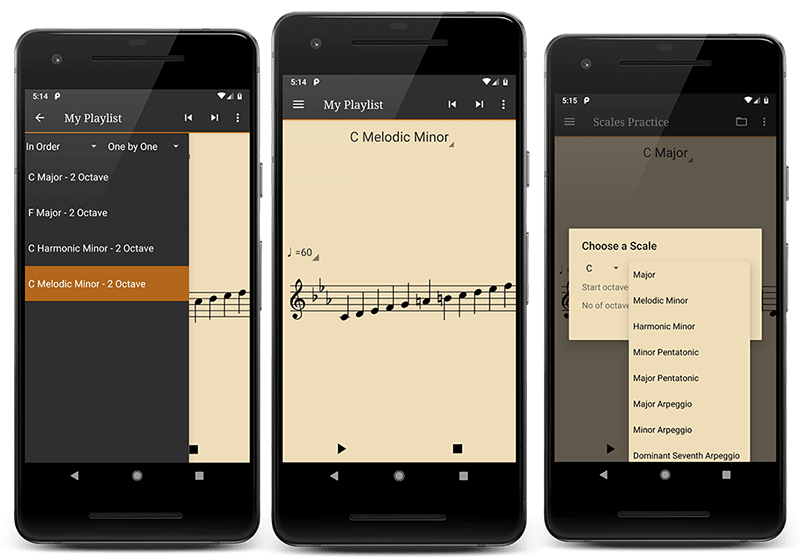
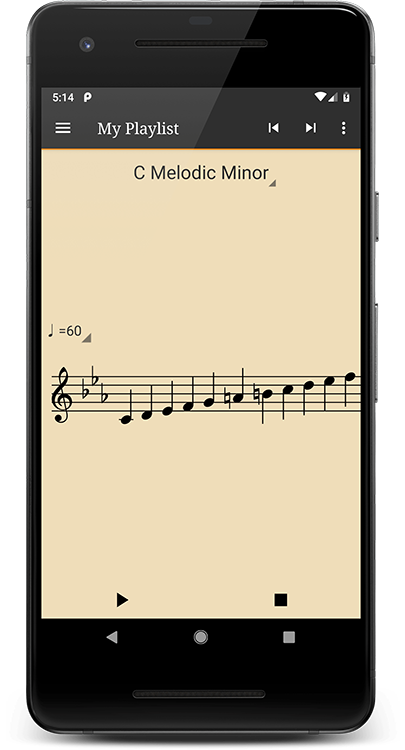
Master your music scales
Pick a scale to show its notes, check how it sounds, and play along.
Transposition to different keys
Caters for a variety of different instruments
Beats to count you in
Pick up your instrument and play along
Different sounds
Includes piano, strings, woodwind, and brass
Save a setlist of scales
Structure your practice to achieve your exam goals
Major and minor scales
Including melodic, harmonic, pentatonic
Arpeggios and more complex scales (Pro version)
Including dominant/diminished 7ths, chromatic, different modes
How to practise scales with the app
- Tap the scale name to choose your scale, starting octave and number of octaves.
- Tap the BPM value to set a comfortable tempo. Choose your playback sound and clef in Settings.
- Press Play, listen to the count-in and follow the highlighted notes on the stave as you play along.
- Use Save to Playlist in the Scales Menu to collect the scales you want to practise regularly.
Supported platforms
Available for Android phones and tablets. Choose the clef, octave range and playback sound to suit your instrument.
Free and paid features
Practise major, melodic minor, harmonic minor and pentatonic scales, with adjustable tempo, count-in beats and playlists. The free app contains adverts.
Scales Practice Pro adds more scales and arpeggios, including chromatic scales, modes and dominant and diminished seventh arpeggios. Check Google Play for the current price.
Scales Practice FAQs
Can I display scales in bass clef?
Yes. Choose Bass Clef in Settings. If the notes are too high, also choose a lower starting octave in the scale selection screen.
Can I use Scales Practice with a transposing instrument?
Yes. Use the transposition setting for non-concert-pitch instruments and follow the instructions within the app.
Why can I hear a scale but not see all its notes?
Some notes may be outside the range the stave can display. Choose a lower starting octave or reduce the number of octaves.
Guides and further reading
Our Users
Help and documentation
More for your practice
Instrumentive helps you track your practice and follow your progress.
Up Tempo helps you slow down music, change key and isolate parts.
Not quite sure if you have got that scale right?
Download Scales Practice to get started.