A music practice app by Stonekick
Up Tempo
Your music. Your pace. Your key.
Slow down a tricky passage, change the key to suit your instrument or separate a track into vocals, bass, drums and other instruments. Make the music work for your practice.


Available for Android, iPhone and iPad.
A versatile music editing tool
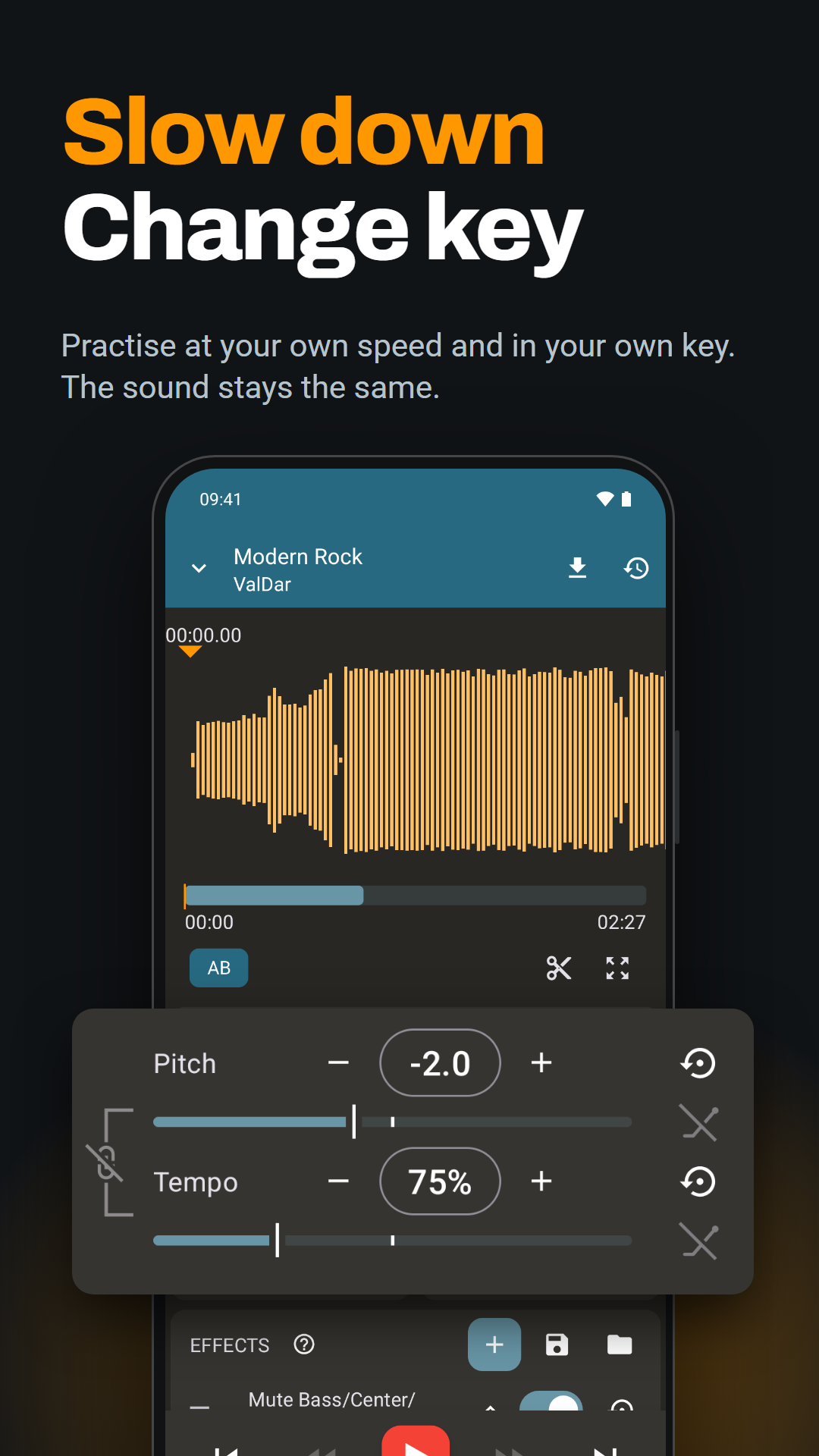
Practise at your own speed and in your own key. Hear your part more clearly or create a backing track to play along with.
Waveform view
Pinch and zoom for more accuracy
Loop points
Precisely set points to loop between
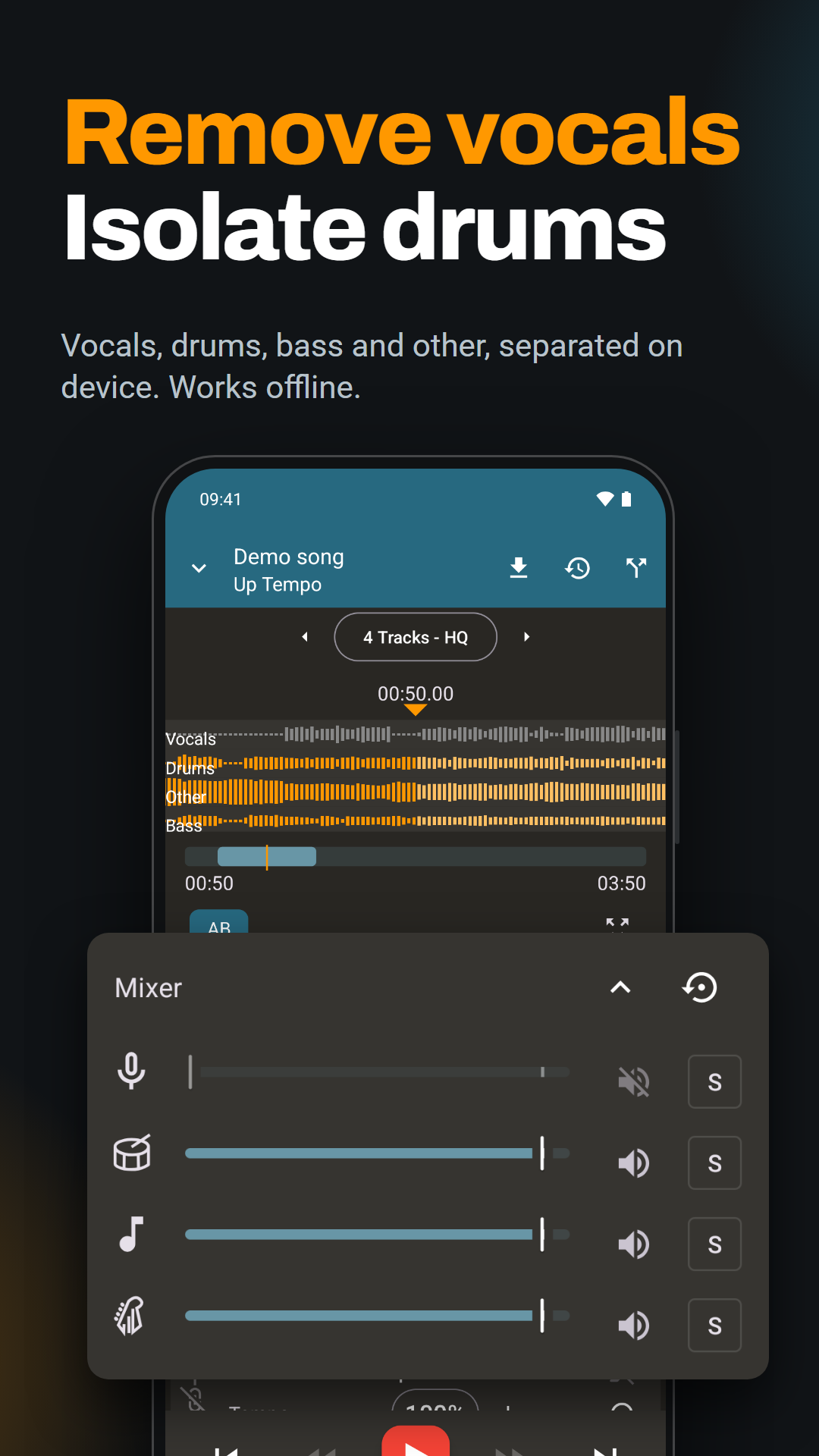
Stem separation (Pro)
Split a track into vocals, bass, drums and other instruments. Use the mixer to isolate parts or mute vocals for a backing track.
Different file formats
Open audio files stored on your Android device, iPhone or iPad
Advanced effects (Pro)
Shape your sound with equaliser, reverb, delay and more
Export file
Export and share your modified music file
How to slow down a song without changing its pitch
- Open Up Tempo and tap + on the playlist screen to add an audio file from your device.
- Open the track and reduce the tempo using the slider or numerical control. Leave pitch unchanged to keep the original key.
- Use the waveform to find a difficult section. Open the AB controls, add markers and choose the section to loop.
- Increase the speed as the passage becomes comfortable. Use the export control if you want a separate copy of your edited track.
How to split a song into vocals, bass, drums and other instruments
- Open your track and tap the source separation icon in the top action bar, or choose Separate instruments or Remove vocals below the waveform. Stem separation requires Pro.
- The first time, download a separation model. Choose a four-part separator for vocals, bass, drums and other instruments, or the quick vocal remover for vocals and accompaniment.
- Tap the track separation button. When processing finishes, select the separated stems on the waveform screen.
- Open the mixer to change each stem's volume, mute a part or isolate the part you want to hear.
To practise bass with a backing track, separate the song into four stems and mute the bass in the mixer. To hear the bass line on its own, isolate the bass instead. Mute vocals to create a karaoke accompaniment.
Supported platforms
Available for Android, iPhone and iPad. Open audio files stored on your device to get started.
Free and paid features
The free app lets you adjust pitch and speed, loop sections and export your edited audio.
Pro adds stem separation and vocal removal, recording and advanced effects such as equaliser, reverb and delay. Check the upgrade screen for the features and current price on your platform.
Up Tempo FAQs
Can I remove vocals or isolate drums and bass in Up Tempo?
Yes. Pro can separate a track into vocals, bass, drums and other instruments. Use the mixer to mute vocals, isolate the drums or change the balance between parts. See the source separation guide for the model options and controls.
Does stem separation work offline, and will it change my original file?
Separation runs on your device and works offline after you have downloaded a separation model. Up Tempo creates separate stem files and keeps your original audio unchanged. Results depend on the recording.
Can Up Tempo open songs from Spotify or other streaming services?
No. Open an audio file stored on your device. Tracks held inside a music streaming service cannot be opened directly in Up Tempo.
Can I change the key without changing the speed?
Yes. Adjust the pitch control and leave the tempo at its original setting. You can also change tempo while keeping pitch unchanged.
Can I save and share the slowed-down song?
Yes. Use the export control to create an audio file with your edits applied, then share that file. See the getting started guide for export instructions.
Guides and further reading
Our Users
Help and documentation
More for your practice
Instrumentive helps you track your practice and follow your progress.
Metronome Beats helps you keep time and build speed.
Make your next practice your own.
Download Up Tempo to get started.