Up Tempo vocal remover
Remove vocals from songs with Up Tempo
Make room for your voice.
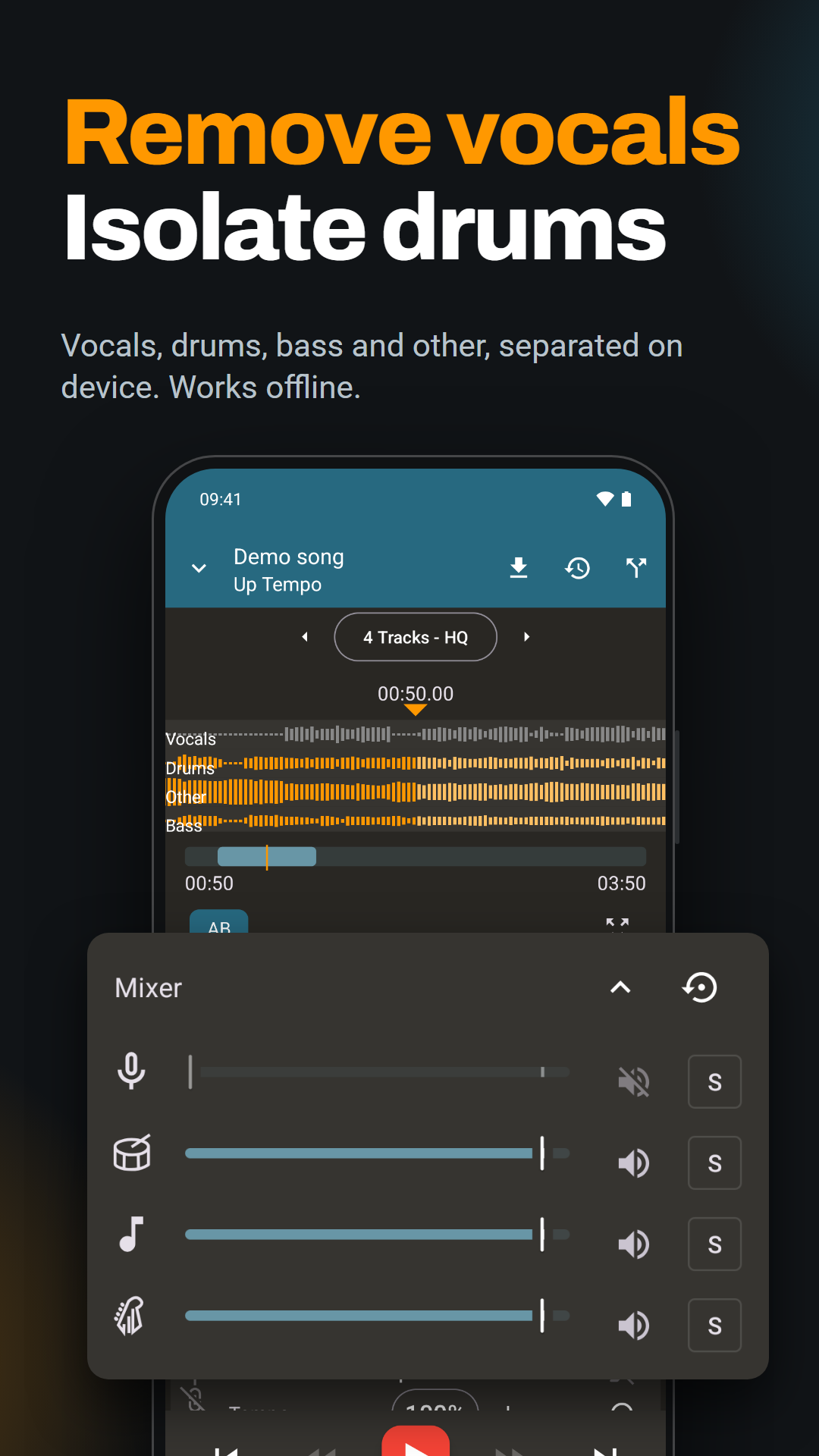
Create a backing track from an audio file on your phone or tablet. Separate the song, mute the vocals and practise in a key and at a speed that suit you.


Android, iPhone and iPad. Vocal removal requires Pro.
- Processing stays on your device
- Works offline after model download
- Lifetime or monthly Pro access
Hear the difference
Watch the demo to see and hear Up Tempo separate a song into vocals and instruments, then use the mixer to change what you hear.
Results depend on the recording: some vocal traces or changes to the instruments may remain.
How to remove vocals from a song
Open an audio file
Open Up Tempo and tap + on the playlist screen to add a song stored on your device. Open the track to see its waveform.
Separate the vocals
Choose Remove vocals below the waveform, or tap the source separation icon in the top bar. On first use, download a model. Choose the quick vocal remover for vocals and accompaniment, or a four-part separator for vocals, drums, bass and other instruments. Tap the track separation button to start processing.
Mute vocals and practise
When processing finishes, select the separated stems on the waveform screen. Open the mixer and mute the vocals to hear your backing track. You can also isolate the vocals to listen more closely to the melody.
For more about the model options and mixer controls, read the source separation FAQ.
Make the backing track work for you
Sing in your key
Adjust the pitch to move the song into a comfortable range while keeping the tempo unchanged.
Learn a tricky phrase
Slow down the track and loop a short passage. Build up the speed as you become more confident.
Save your backing track
Use the export control to save your edited audio. The export guide explains the available controls.
Vocal removal is included in Pro
Up Tempo is free to download. Vocal removal and stem separation require Pro. Choose a one-time payment for lifetime access or a monthly subscription.
Free or Pro?
The free app includes pitch and tempo adjustment, looping and export. Pro adds vocal removal, stem separation, recording and advanced effects.
Check the upgrade screen in the app for the current price on Android, iPhone or iPad. Prices vary by country and platform.
Vocal remover FAQs
Does vocal removal work offline?
Yes. Once you have downloaded a separation model, processing runs on your device without an internet connection. Your audio does not need to be uploaded to a server.
Can I remove every trace of the vocals?
Results vary between recordings. Reverb, layered vocals and sounds shared by voices and instruments can leave traces or affect the accompaniment. Try the high quality separator if you want to compare results with the quick vocal remover.
Can I use songs from Spotify or another streaming service?
Open an audio file stored on your device. Songs held inside a streaming service cannot be opened directly in Up Tempo.
Will it change my original song file?
No. Up Tempo creates separate stem files and keeps the original audio unchanged.
Can I isolate drums or make an instrument backing track?
Yes. Choose a four-part separator, then use the mixer to isolate drums or mute the part you want to play yourself. See the stem separation guide for more practice ideas.
More ways to practise with Up Tempo
Make your next backing track your own.
Download Up Tempo for Android, iPhone or iPad. Vocal removal is available with Pro.